Waypoint
Product tours and feature showcases for Compose Multiplatform.



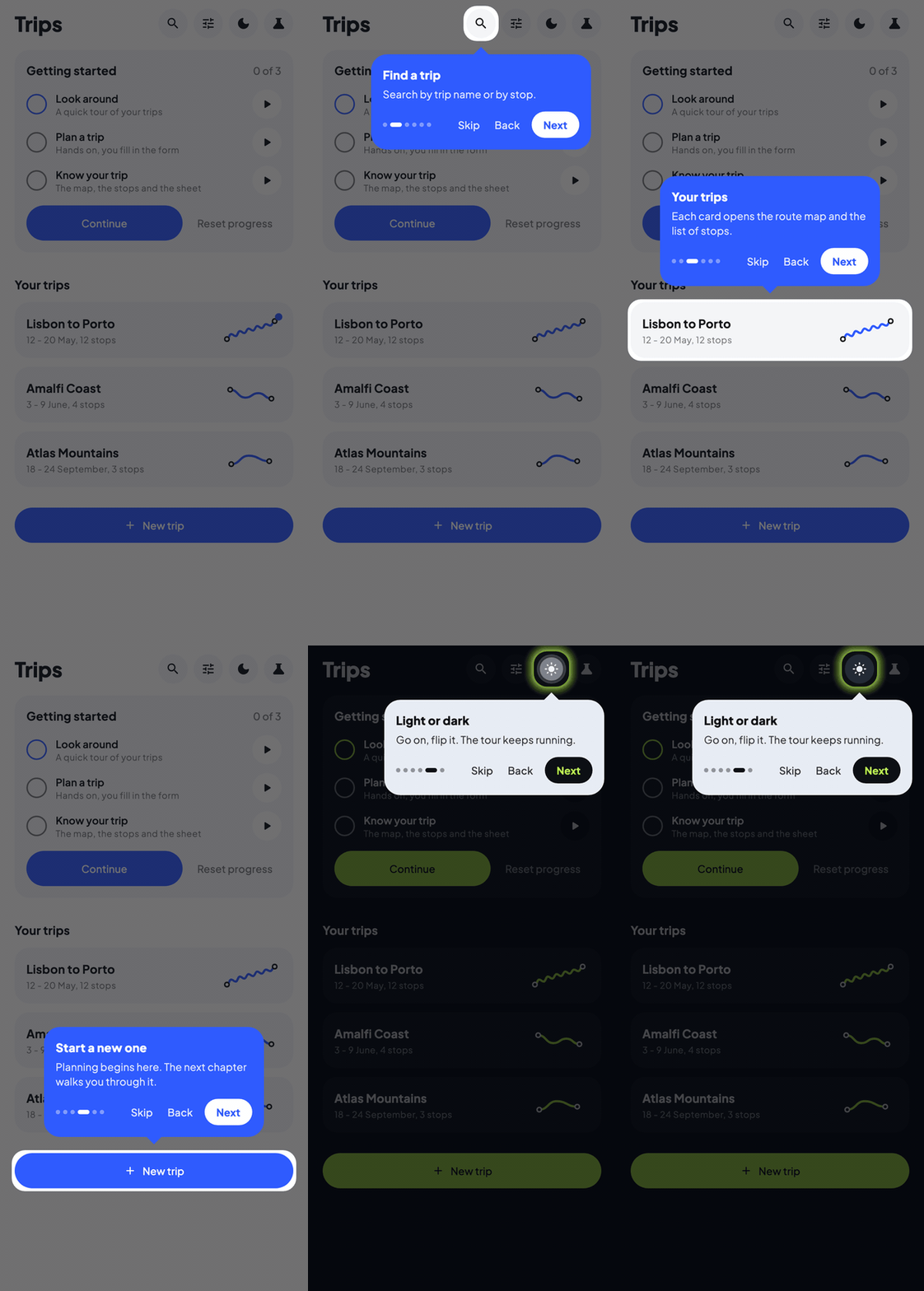
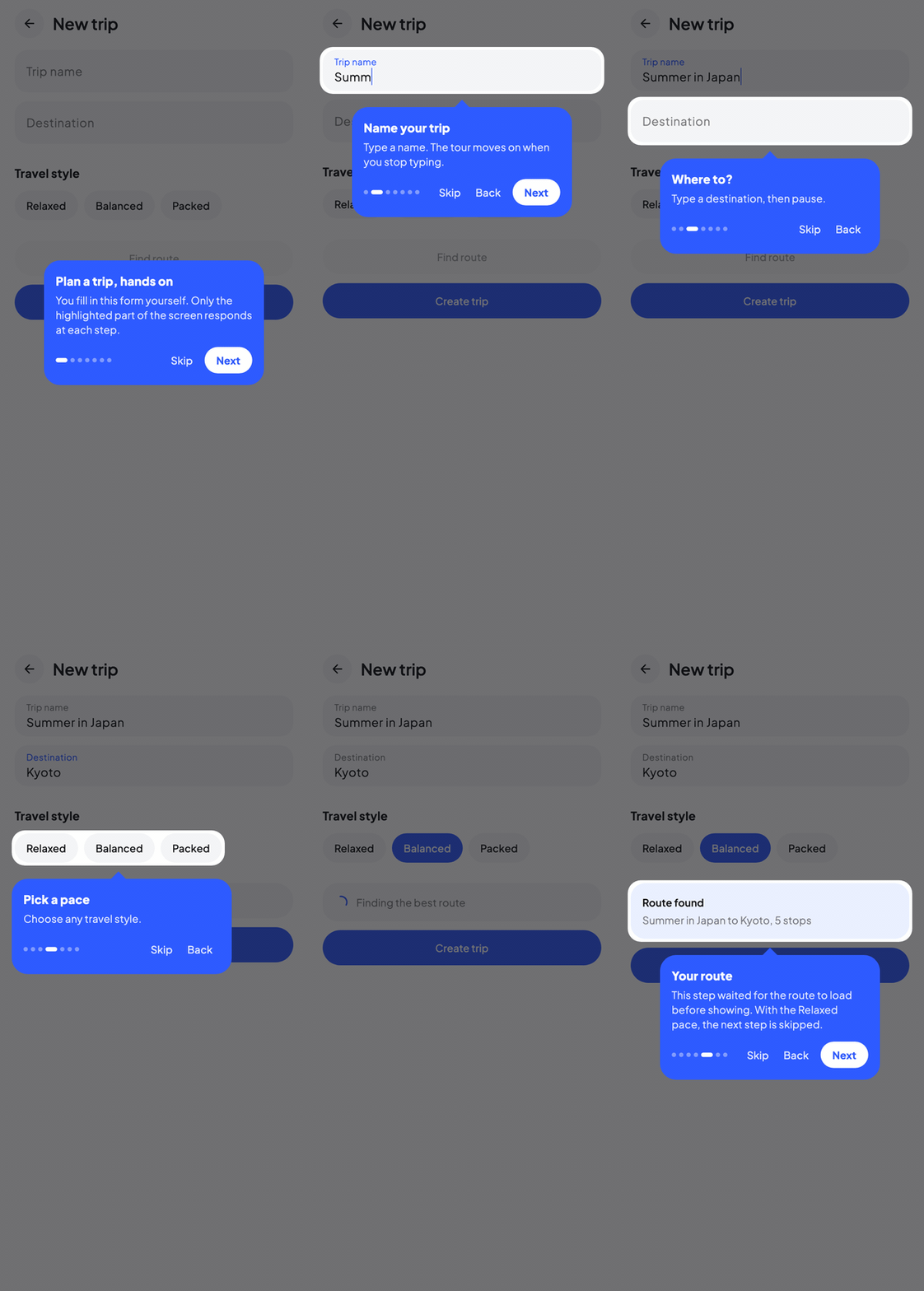
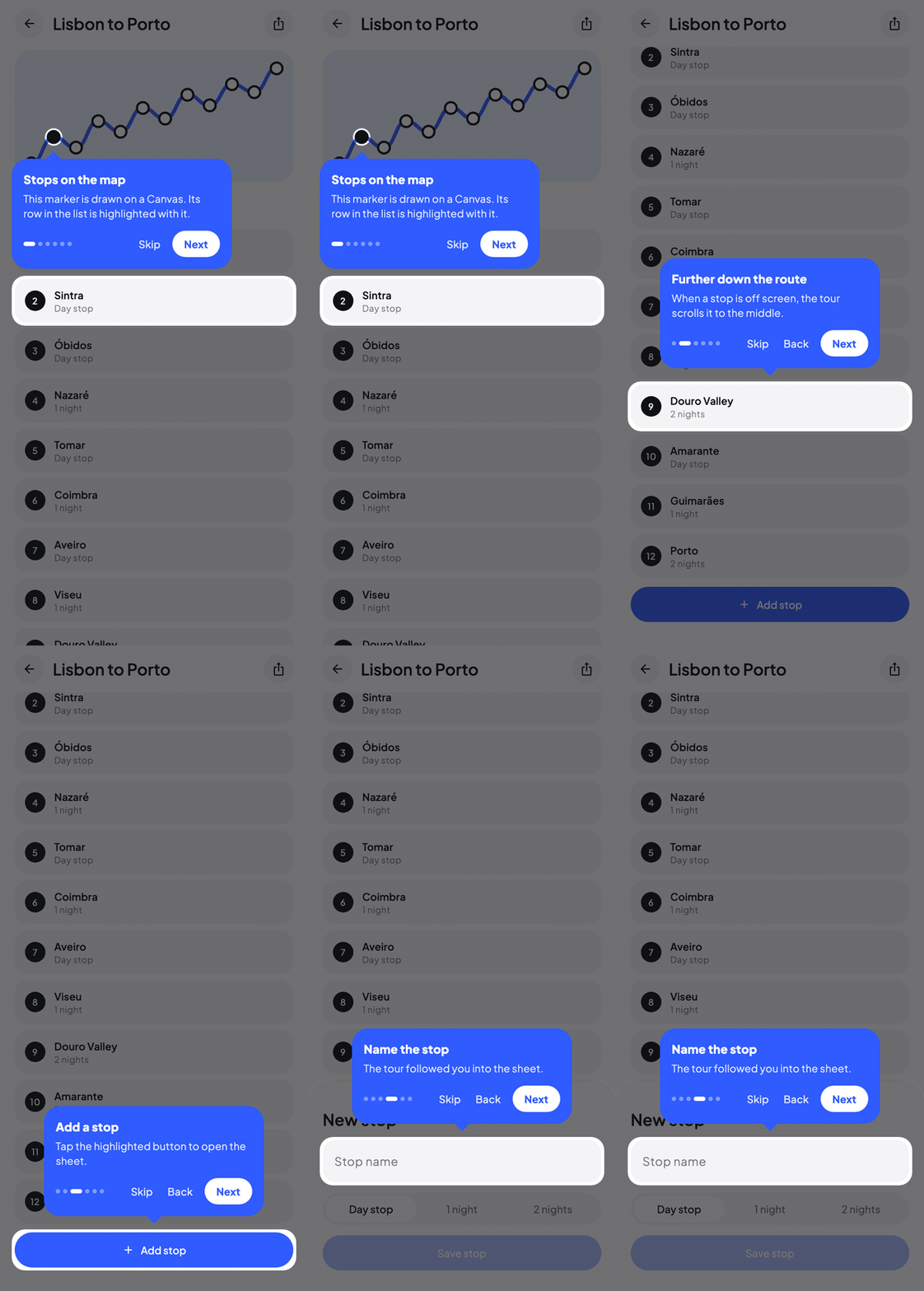
Waypoint walks your users through your app: it dims the screen, cuts a hole around the thing you want them to look at, and puts a tooltip next to it. You describe the steps in a small DSL, tag your composables with a modifier, and the library handles positioning, animation, scrolling and input blocking.
It runs on Android, iOS, Desktop and Web (JS and Wasm) from the same code.
Artifacts
| Artifact | Description | Platforms | Version |
|---|---|---|---|
| waypoint-core | State machine, overlay, tooltip positioning, target registration | Android, iOS, Desktop, Web (JS, Wasm) |  |
| waypoint-material3 | Material3-styled tooltip with navigation buttons and progress | Android, iOS, Desktop, Web (JS, Wasm) |  |
Pick waypoint-core alone for full control over the tooltip UI, or waypoint-material3 for a ready-made Material3 experience. waypoint-material3 depends on waypoint-core transitively.
Features
-
Highlight styles
Spotlight, Pulse, Border, Ripple, None, or fully Custom, set per step or host-wide.
-
Spotlight effects
Decorate the cutout with Glow, SoftEdge, or a custom draw lambda.
-
Step navigation
next,previous,goTo,stop,pause,resume, fully programmatic. -
Interactive tutorials
Let the user type and tap inside the highlighted element while the rest of the screen is blocked.
-
Event-driven progression
Advance steps when the user clicks a button, types in a field, or scrolls.
-
Intro and outro cards
Steps without a target are shown as a centered card.
-
Async gates
Hold a step until a
suspendblock finishes: wait for API responses, animations, or navigation. -
Cross-hierarchy tours
Targets inside Dialog, BottomSheet, and Popup via
WaypointOverlayHost. -
Tour sequences
Chain multiple tours together with auto-advance and optional shared persistence.
-
Persistent hints
Ambient beacons on UI elements, independent from tours, with dismiss-and-persist.
-
Persistence
Remember which tours a user has completed across sessions.
-
Keyboard navigation
Arrow keys and Escape on Desktop and Web, configurable per key.
-
Analytics
Track tour started, completed, cancelled, and per-step events.
-
Theming
Customize colors, typography, dimensions via
WaypointMaterial3Theme.
Quick example
enum class OnboardingTarget { SearchBar, AddButton, Profile }

@Composable
fun HomeScreen() {
    val tourState = rememberWaypointState {
        step(OnboardingTarget.SearchBar) {
            title = "Search"
            description = "Find anything in your workspace."
        }
        step(OnboardingTarget.AddButton) {
            title = "Create"
            description = "Add a new item with one tap."
        }
        step(OnboardingTarget.Profile) {
            title = "Your profile"
            description = "View and edit your account."
        }
    }

    WaypointMaterial3Host(state = tourState) {
        Column {
            SearchBar(Modifier.waypointTarget(tourState, OnboardingTarget.SearchBar))
            FloatingActionButton(
                onClick = {},
                modifier = Modifier.waypointTarget(tourState, OnboardingTarget.AddButton),
            ) { Icon(Icons.Default.Add, "Add") }
            IconButton(
                onClick = {},
                modifier = Modifier.waypointTarget(tourState, OnboardingTarget.Profile),
            ) { Icon(Icons.Default.Person, "Profile") }
        }
    }

    LaunchedEffect(Unit) { tourState.start() }
}
Four entry points
Most apps only ever touch these:
| API | Purpose |
|---|---|
rememberWaypointState { step(key) { ... } } | DSL builder that creates a WaypointState with typed step definitions |
Modifier.waypointTarget(state, key) | Marks a composable as a tour target and registers its bounds |
WaypointHost(state) { content } | Host composable that renders the highlight + tooltip (docs) |
WaypointMaterial3Host(state) { content } | Same, with Material3-styled tooltip (docs) |
Next steps
- Installation, add Waypoint to your project
- Quick Start, build your first tour step by step
- Highlight Styles, customize how targets are highlighted
- Interactive Tutorials, hands-on steps the user completes by doing
- Tour Sequences, chain multiple tours together
- Persistent Hints, ambient beacons outside of tours
Contribution
Found a bug or want a new feature? Open an issue. Pull requests welcome. 
Find this library useful? 
Support it by joining stargazers.  Also, follow me on GitHub for more libraries.